Paste a public video link
Go from TikTok to transcript by pasting a public video URL or a vm.tiktok.com or vt.tiktok.com share link. You can also paste the whole sharing message. Profiles, private videos and photo posts are not supported.
Get a TikTok transcript from a public video link, or upload a file. Read timestamped text, choose your AI notes, and export the result.
Turn public video links, video files and audio into useful content.
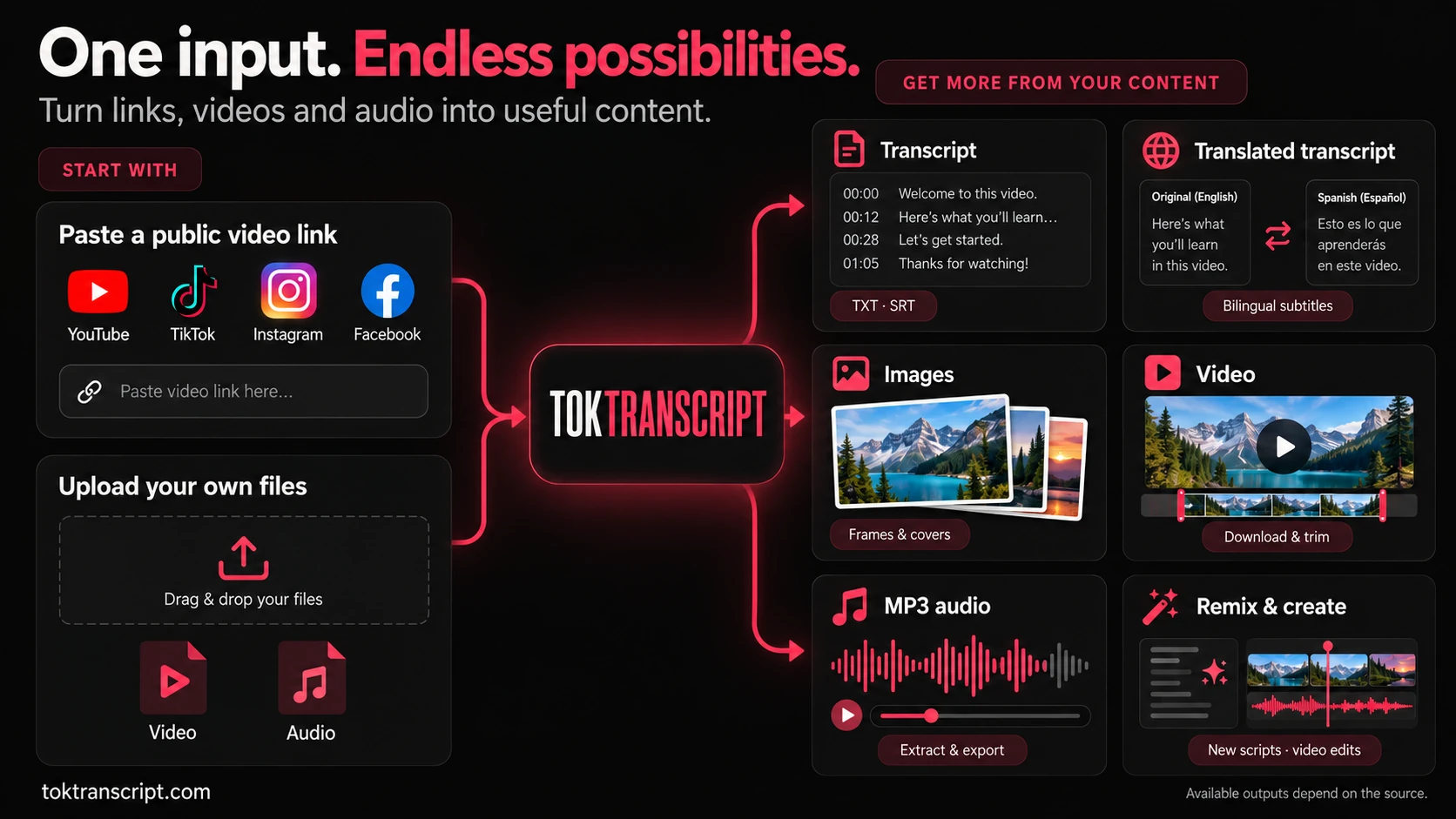
Choose an output to open its tool.
View full imageAvailable outputs depend on the source.
Go from TikTok to transcript by pasting a public video URL or a vm.tiktok.com or vt.tiktok.com share link. You can also paste the whole sharing message. Profiles, private videos and photo posts are not supported.
A TikTok video transcript follows the spoken words, not the caption written under a post. When source captions are unavailable, you can choose speech recognition for accessible audio. Music-only videos, unclear speech and platform restrictions can prevent a usable result.
Copying and exporting existing results are free. New generation tasks use credits.
Extract the original spoken words here. To write a new script for your product or topic, use the script generator with a reference video.
Open TikTok Script Generator →Credit quote shown before processing.
How to get a TikTok transcript →Free accounts receive 5 credits each UTC calendar month. Unused monthly credits expire at month end. Sharing and invitation rewards remain available.
Use a public TikTok video with speech or supported captions. Private, deleted, restricted, photo-only, and text-only posts may not be processed.
Results depend on speech clarity, music, accents, and video length. Review names, numbers, and important wording before using the transcript. We do not guarantee a fixed accuracy percentage or completion time.
Get the original transcript first. Choose translation or an AI output language after the words are ready.
Yes. Save it as a TXT file or download timestamped subtitles as SRT. Analysis and script remix follow the limits shown in your plan.
No. AI scores and explanations are estimates based on the available content. They are not TikTok audience retention measurements and do not establish why a video received its views.
Yes. Tok Transcript refers to TokTranscript. The official site is toktranscript.com; use the TikTok transcript generator above without installing another app.
Copy the transcript or download TXT and SRT subtitles.
Open the TikTok transcript toolRead another language alongside the original and export bilingual SRT subtitles.
Translate my videoStudy the opening and script structure. Hook Analyzer scores an existing opening and suggests three rewrites.
Analyze my openingOne shared credit balance. Compare all plans on the pricing page.
Explore script remixIn TikTok, choose Share, then Copy link. Private, deleted, and restricted videos cannot be processed.
Get the original TikTok transcript first. Once it’s ready, choose a translation or AI output language.
Review the transcript, then save the text or continue to analysis and script remix within your plan limits.
Take your next video from transcript to finished edit. Extract audio, translate captions and put the pieces together.
Turn video speech into text and download timed subtitles.
Explore toolSave the soundtrack or just the section you need.
Explore toolTranslate timed captions into your chosen language.
Explore toolPlace an MP3 at the exact second you choose.
Explore toolWrite captions and set when they appear.
Explore toolTrim clips, adjust the frame and export your video.
Explore toolOur public samples, source examples, and methods. Observations help you ask better questions; they do not guarantee video performance.
Study opening captions and hook labels, with the sample selection and limitations explained.
Read the study in EnglishCompare beauty demonstrations and opening patterns in a small, clearly defined sample.
Read the study in EnglishCompare 61 high-view scripts with 133 lower-view scripts. Differences overlap and do not establish causes.
Read the study in EnglishLess time extracting and translating. More time creating.
For occasional extraction, subtitles and short videos.
No credit card needed. Add credits when you need them.
5 credits issued automatically each UTC calendar month. Unused monthly credits do not roll over. Sharing and invitation rewards are retained.
Core extraction and basic creation
Try the core flow. Automated remix tools require a subscription.
Process multiple sources and save repetitive work.
Pro: script remix 2, hook analysis 2, viral breakdown 3 credits per run. Max includes all three at 0 credits.
Billed yearly: $59.40100 credits issued each month. Cancel the next renewal anytime.
Use all credits for up to 100 extractions OR 300 minutes of basic recognition.
Everything in Free, plus a complete workflow
A complete workflow for regular creation.
Extract, translate and remix daily. Subtitle translation and script remix use 0 credits.
Max: script remix, hook analysis and viral breakdown — 0 credits.
Billed yearly: $118.80350 credits issued each month. Cancel the next renewal anytime.
Use all credits for up to 350 extractions OR 1050 minutes of basic recognition.
Everything in Pro, with more included creation tools
Extraction, recognition, document translation and rendering still use credits.
Only need a few tasks? Buy credits once. From $4.90. No automatic renewal.
One payment, no subscription. Choose multiple quantities and combine packs.
Generate timestamped transcripts from public TikTok, YouTube, and Instagram videos.


