Video, audio & transcript tools
One source. A whole new set of possibilities. Explore TokTranscript tools to turn video links and your own files into text, translations, downloads and new content.
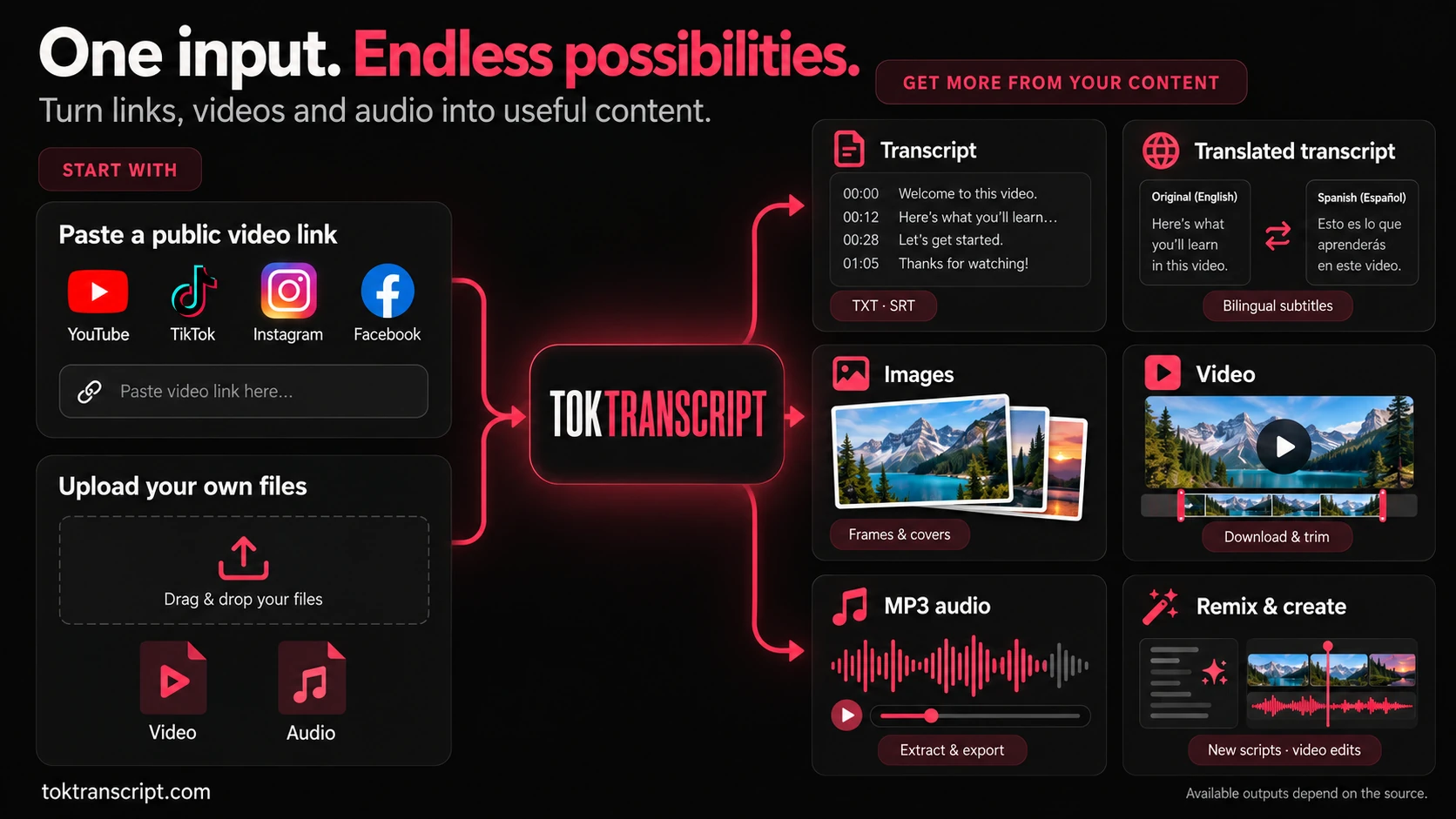
Video & audio transcription tools
Turn spoken content into text you can read, search and reuse. Start with a supported public link or upload your own recording.
TikTok transcript generator
Read available TikTok captions and export a transcript for notes, research or a new script.
YouTube transcript
Extract readable text from YouTube videos without copying captions line by line.
Instagram transcript
Turn an accessible Instagram video or Reel into text.
Facebook Reels transcript
Get a transcript from a supported public Facebook Reel.
Audio & video transcription studio
Upload recordings, transcribe speech, edit the text and export your document.
Bulk transcription
Process multiple video links together and manage the results in one workflow.
Transcript & subtitle translation tools
Choose a target language, review the translation and take the text or timed captions into your next project.
TikTok transcript translator
Read a TikTok transcript in your chosen language alongside the original text.
TikTok subtitle translator
Translate timed captions and export SRT or a video with translated subtitles.
YouTube subtitle translator
Translate YouTube captions and review their wording and timing before export.
Facebook Reels subtitle translator
Create translated captions for a public Reel or your own uploaded footage.
Video download & editing tools
Save a supported video, select the sections you need or build a new edit with captions and audio.
TikTok video downloader
Find available download options for a public TikTok video.
YouTube to MP4
Convert a supported YouTube link into a downloadable video.
Creator Studio video editor
Upload or import footage, trim sections and export your edit.
Add subtitles to video
Work with timed captions and burn reviewed subtitles into an MP4.
Add audio to video
Place music or a recorded voiceover at the right moment in your video.
MP3 & audio extraction tools
Keep the soundtrack or a selected sound bite from a video. Available formats and processing options depend on the source.
Photo, thumbnail & video frame tools
Collect the visual assets for your next post: carousel photos, a source thumbnail or frames from your own edit.
AI script, remix & creator research tools
Study how a video works, explore audience responses and develop a new script or edit from your source material.
Viral video breakdown
Explore a video’s hook, structure and storytelling choices with AI analysis.
Script remix
Adapt a source script into a new angle for your topic and audience.
TikTok hook analyzer
Examine the opening of a video and find ideas for your next hook.
Creator research
Research public creator content and audience signals for your content planning.
AI clip generator
Find candidate highlights, review selected sections and prepare a shorter edit.
Video transcript Plaza
Browse public transcripts and breakdowns to study real content examples.
Start with what you have
About the TokTranscript tools
Which tool should I use first?
Choose the output you need: a transcript for readable text, a translator for another language, a downloader for media files, or Creator Studio for an edit. The categories above link to the corresponding tool or its getting-started page.
Which platforms and files are supported?
Transcript tools cover supported public TikTok, YouTube, Instagram and Facebook videos. Media import and export support varies by tool. You can also upload your own recordings in Audio Studio or Creator Studio; check the selected tool for supported formats and limits.
Can I choose the language of a translation?
Yes. Translation tools let you select a target language. Review the translated text before exporting it, especially names, technical terms and caption timing.
Are all tools free to use?
You can browse this directory without an account. Tool access, processing credits and export options depend on the feature and your plan. Check the pricing page and the cost shown in the selected tool before starting a job.


